Family AI for everyday coordination

Family asks, schedules, and bills in one calm place.

Oren helps families turn everyday asks into clear agenda items and bill records. Tell Oren what needs to happen by text, voice, or photo, and keep the next step visible.

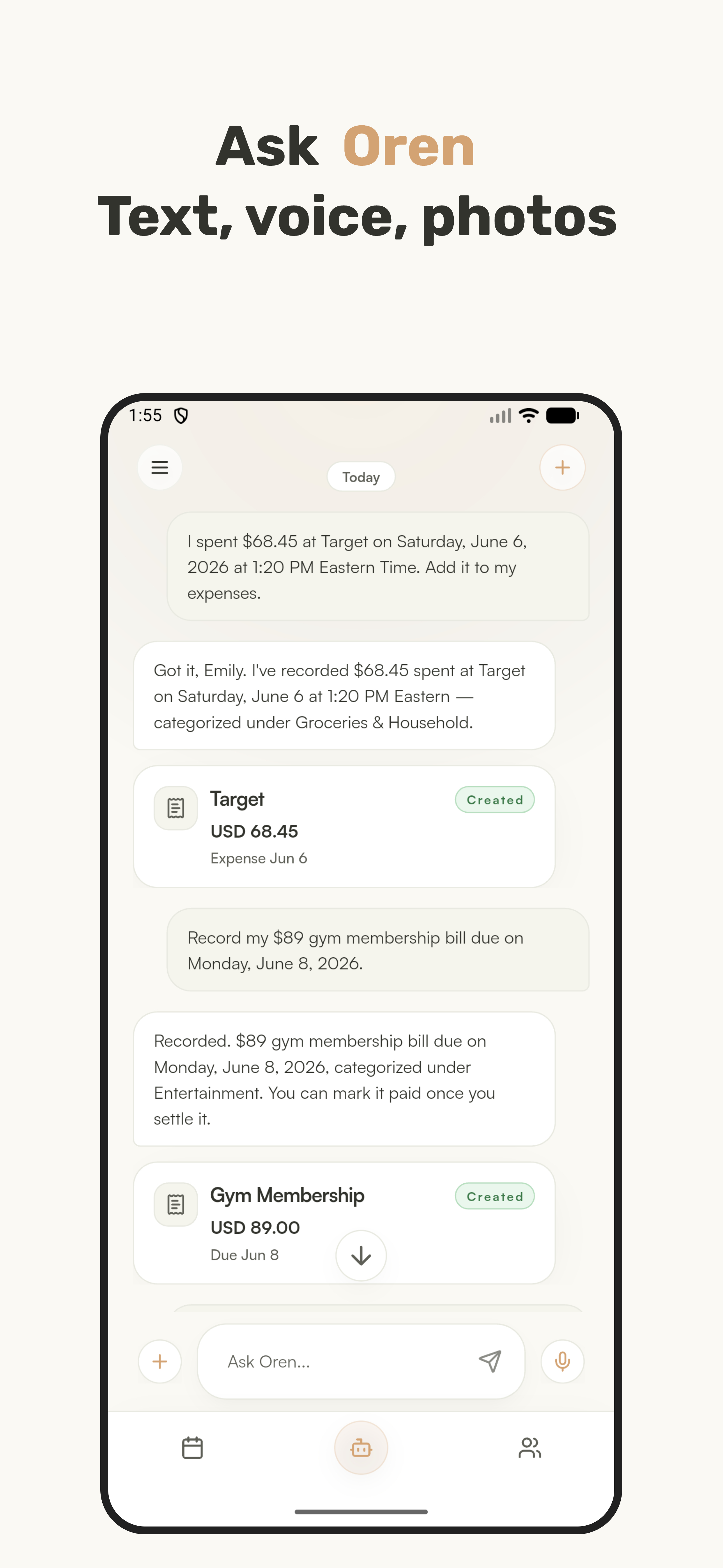
Ask naturally Use text, voice, or photos to create agenda items and bills.
Keep views separate Personal items stay private unless you choose to share them.
Bring calendars in Connect Google Calendar or iCloud Calendar to avoid re-entering events.
Oren Ask screen showing conversation-created expense and bill records
Ask Oren Turn unclear requests into items your family can track.

What Oren does

A shared home base for family follow-through.

Oren supports both personal and family views. Families can create or join a household, invite members, add member profiles, and coordinate agenda items without losing the privacy of personal schedules and records.

  • Personal agenda items and bills stay private by default.
  • Shared items appear in the family view so everyone sees the same status.
  • Conversation history lets you continue an Ask, add details, make changes, or search later.
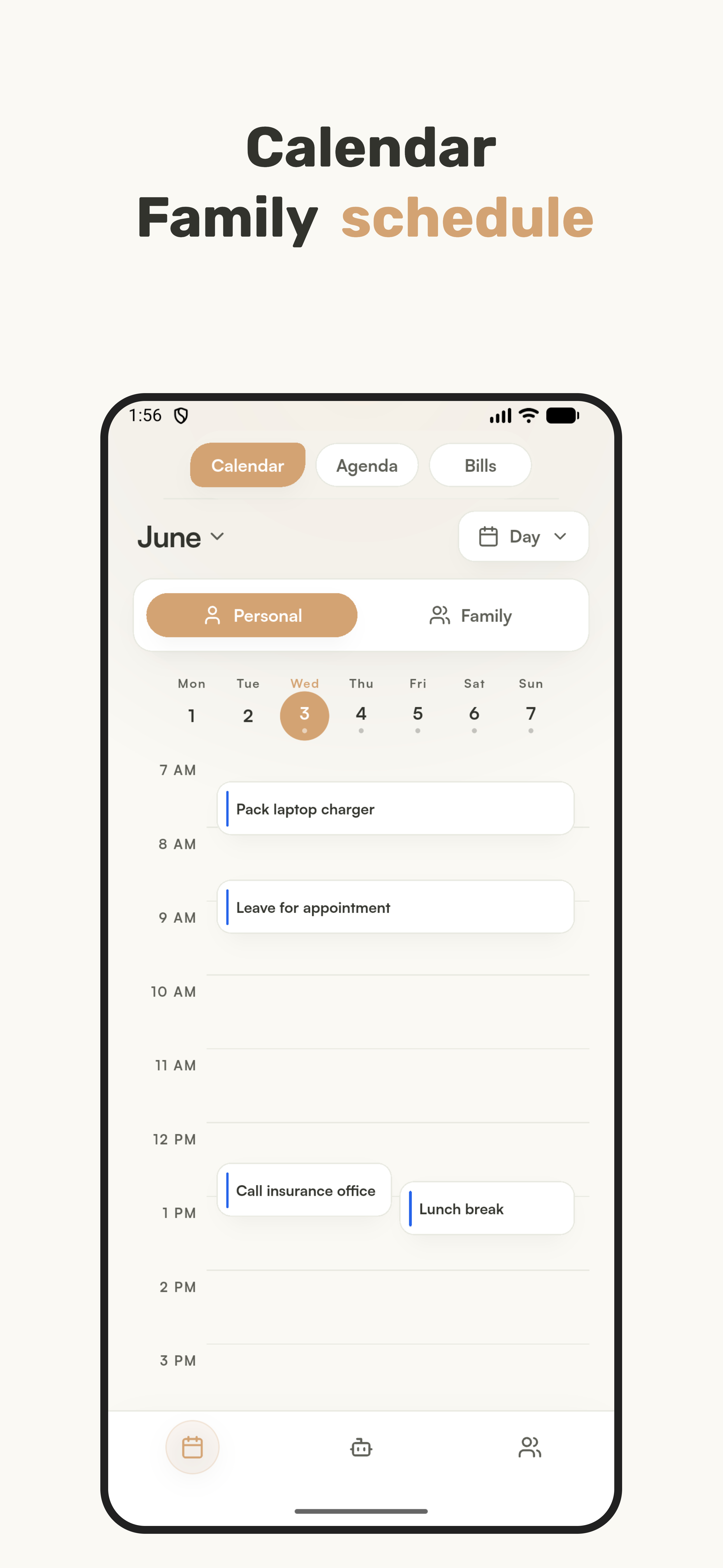
Oren Calendar screen with personal and family schedule views

Calendar

See personal and family schedules clearly.

Oren keeps existing schedules visible alongside new agenda items. Personal and family views make it clear what belongs only to you and what has been shared with the household.

External calendars Connect Google Calendar and iCloud Calendar to bring existing events into Oren.
Less duplicate entry Imported schedules can be reviewed in Oren without typing them again.
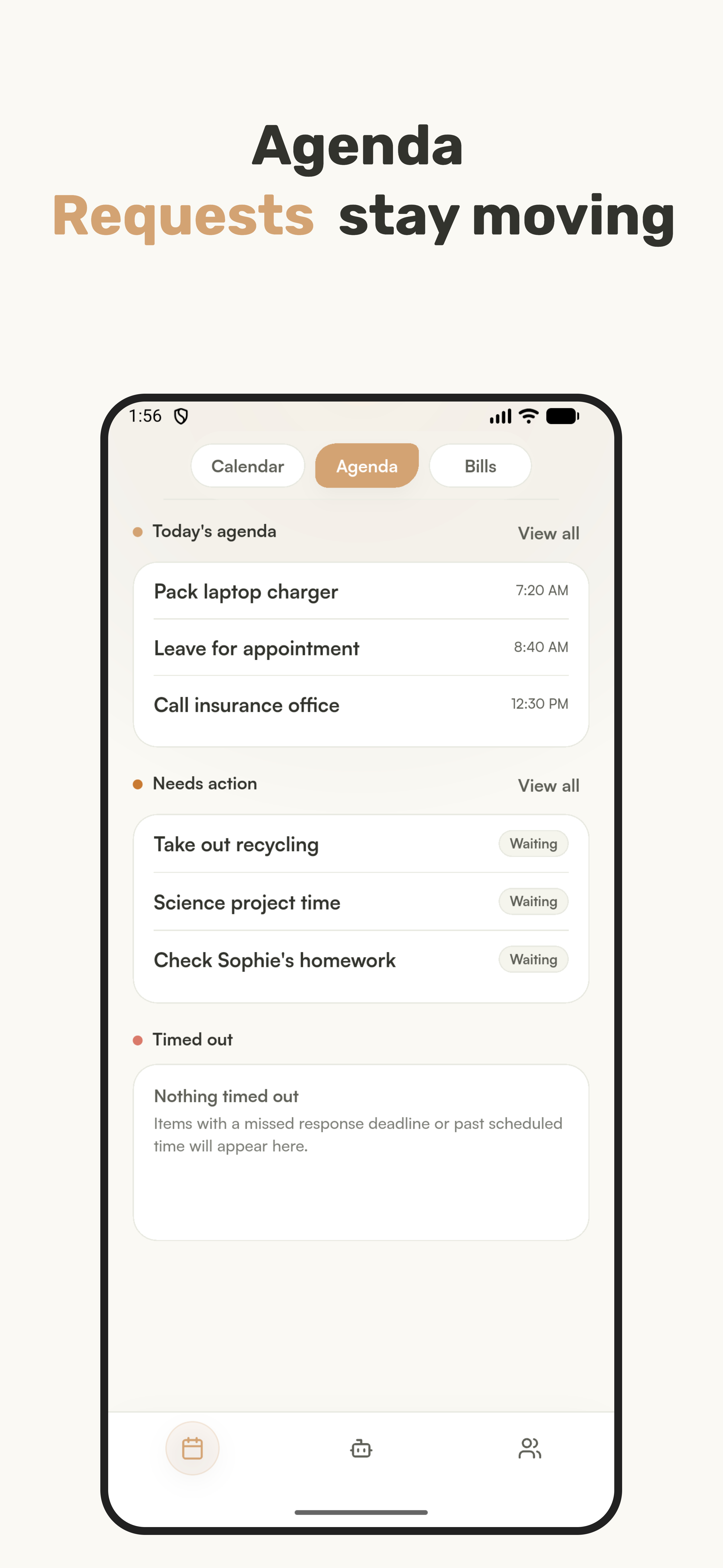
Oren Agenda screen with today's agenda and requests that need action

Agenda

Requests stay moving.

Assign agenda items to family members, see what needs action, and keep requester and assignee roles clear. Assigned members can accept or decline before an item becomes their confirmed responsibility.

Accept or decline Assignments use a visible handoff instead of hidden assumptions.
Status clarity Waiting, accepted, declined, and timed-out states help reduce missed communication.
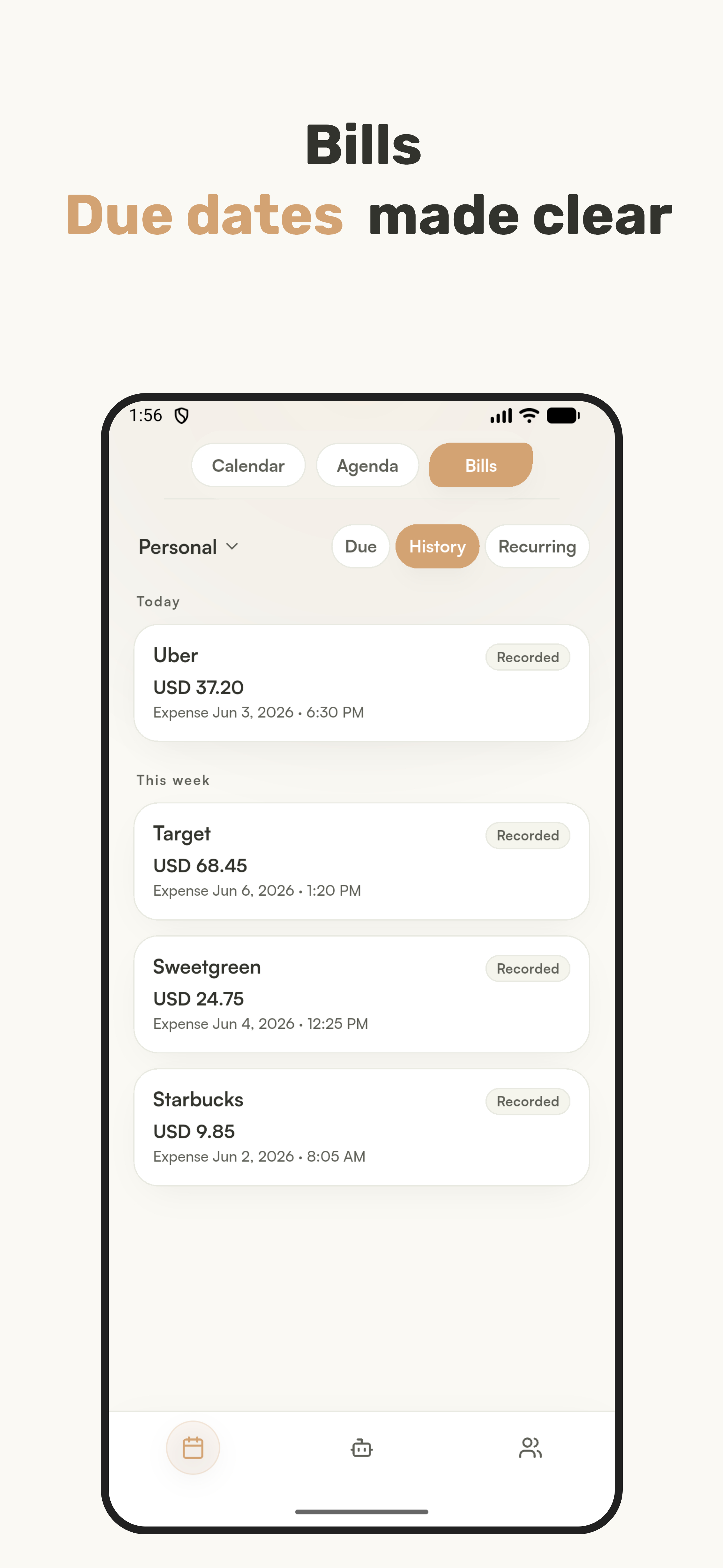
Oren Bills screen showing recorded expenses and bill history

Bills

Due dates and family records made clear.

Oren helps families record bills, due dates, recurring bills, history, and expenses. Bill records are for reminders and family organization only.

Recurring reminders Keep repeated household bills visible before they are due.
Expense history Record what happened so the family can look back later.

Calendar access

Why Oren connects to Google Calendar.

Oren connects to external calendars only to help users bring their existing schedules into the Oren calendar experience. Google Calendar access is read-only: Oren imports and displays events so families can avoid duplicate entry and understand schedule context while coordinating agenda items.

How calendar data is used

  • Import schedule details Oren may read event titles, times, calendar names, locations, descriptions, and event status needed to display calendar events in the app.
  • Show events in Oren Calendar data is used to show the user's personal schedule and, when the user chooses, related family schedule context.
  • No Google Calendar edits Oren does not create, edit, delete, or share events in the user's Google Calendar account.
  • Respect personal sharing Personal calendar events stay personal unless the user chooses to share an item or schedule context with the family view.
  • User control Users can disconnect calendar access and remove imported calendar data from Oren through account or calendar settings.

Important limits

Bills in Oren are used only for family records and reminders. Oren does not provide payment processing, banking, loans, investment services, or financial advice.